
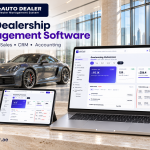
Excel may seem like a simple way to manage a car dealership, especially when the business is small and vehicle records are limited. It can help organize stock details, customer information, purchase costs, and sales figures. However, as dealership operations grow, spreadsheets may no longer provide the visibility and coordination needed to manage everything efficiently.
Car Dealership Management Software offers a more structured approach by connecting important activities such as vehicle inventory, sales, customer relationships, purchasing, and accounting. If your team still depends on separate Excel files for everyday operations, you may be missing opportunities to improve accuracy, save time, and manage your dealership more effectively.
Why Do Car Dealerships Still Depend on Excel?
Many dealerships begin with spreadsheets because they are familiar and easy to set up. Employees can create their own formats, add vehicle details, calculate costs, and prepare basic reports without learning a specialized system.
For a business with only a few vehicles and limited transactions, this approach may work for some time. The difficulty starts when the dealership handles more stock, receives enquiries from multiple channels, or expands its team.
Common dealership activities managed through Excel include:
- Recording vehicle make, model, year, and mileage
- Maintaining purchase and selling prices
- Tracking available and sold vehicles
- Storing customer contact details
- Recording sales and purchase transactions
- Calculating expenses and profit margins
- Preparing monthly performance reports
These tasks are manageable individually, but running an entire dealership through separate spreadsheets can create gaps between departments. Employees may spend more time updating records and checking information than focusing on customers and sales.
What is Car Dealership Management Software?
Car dealership management software is a specialized business solution designed to organize and manage the main operations of an automotive dealership. It brings relevant dealership activities into a connected platform, helping employees work with more consistent information.
Instead of maintaining separate spreadsheets for every department, dealerships can use a centralized system to manage vehicle stock, purchasing, sales, customer relationships, financial records, and reporting.
Depending on the solution, key capabilities may include:
- Vehicle inventory and stock management
- Vehicle purchase and import management
- Sales and customer relationship management
- Lead tracking and follow-up reminders
- Accounting and financial management
- Garage and maintenance management
- Showroom and branch management
- Business reports and performance dashboards
The goal is not simply to replace Excel with another application. It is to create a more organized workflow where different dealership activities can work together.
7 Things You Could Be Missing by Managing Your Dealership in Excel
Using spreadsheets may help you record information, but it does not automatically provide the connected processes that a growing dealership needs. Here are seven important areas where a specialized system can make a difference.
1. Real-Time Visibility of Vehicle Inventory
Vehicle availability changes regularly. A car may be purchased, reserved, sold, transferred, or sent for maintenance. If inventory is maintained in Excel, employees must update the relevant spreadsheet whenever something changes.
When updates are delayed, sales representatives may work with outdated information. This can lead to confusion about which vehicles are available and what their current status is.
A dedicated inventory management module helps dealerships maintain organized vehicle records and track stock movements. Employees can review relevant vehicle information without searching through multiple files.
2. Complete Customer and Enquiry Management
Customer enquiries are an important part of dealership sales. A potential buyer may contact the showroom through a phone call, website, social media, or an in-person visit.
If customer details are stored in separate spreadsheets, representatives may not have a complete view of previous conversations, vehicle preferences, or pending enquiries.
CRM functionality helps bring customer information and interaction history together. Sales teams can record requirements, assign leads, update enquiry status, and maintain a clearer record of communication.
3. Consistent Sales Follow-Ups
Not every customer purchases a vehicle immediately. Some buyers need additional information, want to compare models, or require time to make a decision.
When follow-ups depend on personal notes or memory, sales opportunities can be missed. A CRM-based system can help representatives schedule reminders, manage pending tasks, and monitor the progress of each lead.
This creates a more consistent follow-up process and helps sales teams stay connected with interested customers.
4. Better Control Over Vehicle Purchasing
Vehicle purchasing involves more than recording the amount paid. Dealerships may need to maintain supplier details, purchase dates, vehicle information, related expenses, and documentation.
When these details are maintained in separate spreadsheets, connecting the purchase information with the relevant inventory record can become difficult.
A dealership management system with purchasing capabilities helps organize vehicle acquisition records and connect them with other relevant dealership activities.
5. Connected Accounting and Financial Records
Financial information is closely linked with vehicle purchases, sales, payments, expenses, and outstanding balances. When accounts are maintained separately from dealership records, employees may need to enter the same information more than once.
A system with integrated accounting capabilities can help connect financial transactions with relevant business activities. This makes it easier to review expenses, monitor payments, and understand financial performance.
For dealerships operating in the UAE, it is also important to check whether the accounting module supports applicable tax, invoicing, and record-keeping requirements.
6. Clearer Reports for Business Decisions
Dealership owners need more than a list of sold vehicles to understand business performance. They may want to review stock levels, sales activity, purchase costs, expenses, customer enquiries, and branch performance.
Excel can produce reports, but combining information from different spreadsheets may require additional manual work.
Reporting dashboards in dealership software can organize relevant business information into easier-to-review reports. Depending on the system, managers may be able to monitor sales performance, inventory status, revenue, expenses, and other operational indicators.
7. Better Coordination Between Departments
Sales, inventory, purchasing, and accounts teams depend on information from one another. When each department uses separate spreadsheets, communication gaps can affect daily work.
For example, the sales team may need confirmation from inventory staff, while accounts employees may need updated transaction details before preparing financial records.
A connected dealership platform helps authorized employees access relevant information within a shared workflow. This can reduce repeated communication and make responsibilities clearer.
Excel vs Car Dealership Management Software
The difference between spreadsheets and specialized dealership software becomes clearer when comparing their everyday capabilities.
|
Business Activity |
Excel |
Car Dealership Management Software |
|
Vehicle inventory |
Manual stock sheets |
Dedicated inventory management |
|
Customer records |
Separate contact lists |
Centralized customer database |
|
Lead management |
Manual enquiry tracking |
Structured CRM workflow |
|
Sales follow-ups |
Personal reminders |
Scheduled tasks and reminders |
|
Vehicle purchasing |
Separate purchase records |
Organized purchase management |
|
Accounting |
Manual entries and formulas |
Integrated financial functions, if available |
|
Reporting |
Manually prepared reports |
Built-in reports and dashboards |
|
Branch management |
Multiple files may be needed |
Centralized branch visibility, if supported |
|
Team coordination |
Depends on file sharing |
Connected workflows and user permissions |
|
Business growth |
Increasing spreadsheet maintenance |
Structured operations designed to scale |
Excel remains useful for calculations and individual reporting tasks. However, it is not designed specifically to connect all the processes involved in running a car dealership.
Why UAE Car Dealers Need a More Organized Management System
Car dealerships in the UAE may handle different vehicle categories, imported stock, multiple suppliers, online enquiries, and customers across different locations. These activities require accurate information and coordination between departments.
As operations expand, relying entirely on spreadsheets can make it harder to maintain consistent records.
Managing Imported and Locally Purchased Vehicles
Dealerships may acquire vehicles through local suppliers, auctions, or international markets. Keeping purchase details, vehicle costs, and related information organized helps businesses understand their stock and purchasing activities.
A suitable management system can connect purchase records with individual vehicle information, depending on its available features.
Handling Multiple Showrooms and Branches
Businesses with multiple locations need to monitor stock, sales, and other activities across branches. A centralized platform can help management review information from different locations when multi-branch functionality is available.
Maintaining Organized Financial Records
Dealerships need reliable records of vehicle costs, sales, payments, and operating expenses. A connected accounting process can help reduce duplicate entries and make financial information easier to review.
Managing Customers Across Different Channels
Enquiries may arrive through websites, social media, calls, and showroom visits. A centralized CRM process helps teams organize these enquiries and maintain a more consistent customer experience.
How to Know When Your Dealership Has Outgrown Excel
Moving to specialized software does not have to depend only on the size of your business. The more important factor is whether your current process is creating operational difficulties.
Consider these warning signs:
- You maintain too many spreadsheets: Employees use different files for inventory, sales, purchases, and customer information.
- Vehicle details are frequently outdated: Stock availability and pricing are not updated consistently.
- Customer follow-ups are missed: Sales representatives struggle to remember pending calls and enquiries.
- Reports take too long to prepare: Managers spend hours collecting information from different files.
- Employees repeat the same work: The same customer or vehicle details are entered into multiple spreadsheets.
- You struggle to track profitability: Purchase costs, selling prices, and related expenses are not easily connected.
- Branch coordination is difficult: Managers cannot quickly review consistent information across showrooms.
If these problems are affecting daily operations, it may be time to consider a more specialized management solution.
Essential Features to Look for in Car Dealership Management Software
Choosing software requires understanding which features will solve your dealership's actual problems. A useful solution should support daily activities and provide room for future business growth.
Vehicle Inventory Management
Look for detailed vehicle records, stock status tracking, purchase prices, selling prices, and vehicle movement information. This helps employees maintain better control over dealership inventory.
Sales and CRM Management
The system should support customer profiles, enquiry tracking, lead assignments, communication history, and follow-up reminders. These tools help sales teams manage opportunities more consistently.
Purchase and Import Management
If your dealership purchases vehicles from different suppliers or imports stock, check whether the software can organize purchase details and related vehicle costs.
Accounting and Finance Management
Review whether the system supports sales transactions, expenses, payments, financial records, and useful reports. UAE dealerships should also verify applicable tax and invoicing requirements.
Reporting Dashboard
A reporting dashboard should make important business information easier to understand. Look for reports relevant to inventory, sales, purchasing, customer activity, and financial performance.
Multi-Branch Management
If your business operates multiple showrooms, check whether the software supports branch-level operations, centralized reporting, and appropriate user permissions.
Ease of Use and Support
Employees should be able to complete routine tasks without unnecessary complexity. Also review the provider's onboarding, training, data migration, and customer support arrangements.
How Car Dealership Management Software Helps Improve Daily Operations
The value of a dealership system becomes clearer when considering how it supports everyday tasks.
For example, when a dealership purchases a vehicle, employees can record its details and purchase information in the system. The vehicle can then be managed through the inventory process. When a customer shows interest, the sales team can maintain the enquiry, record requirements, and organize follow-ups through CRM functionality.
Once the sale progresses, relevant transaction information can be connected with the dealership's financial records, depending on the system's configuration. Managers can then review available reports to understand sales activity and business performance.
This connected process reduces the need to search through separate files and helps different departments work with more consistent information.
How eAuto Dealer Supports Organized Dealership Management
For automotive businesses looking to move beyond spreadsheet-based operations, eAuto Dealer provides a dealership management solution focused on important areas of dealership activity.
Its relevant capabilities cover functions such as vehicle inventory, purchasing, sales and CRM, accounting, garage operations, branch management, and reporting. Bringing these areas into a connected system can help dealerships organize information and coordinate daily responsibilities more effectively.
For example, instead of maintaining separate files for vehicle stock and customer enquiries, dealerships can use the relevant system functions to manage these activities within their dealership workflow. This can help employees maintain better visibility while reducing dependence on disconnected records.
When evaluating eAuto Dealer or any other dealership platform, businesses should review the available modules, implementation process, reporting options, and compatibility with their specific operational requirements.
Common Mistakes to Avoid When Moving from Excel to Dealership Software
Replacing spreadsheets with a specialized system requires preparation. A dealership should review its existing processes before transferring information.
Avoid these common mistakes:
- Migrating unorganized data: Review old spreadsheets and remove duplicate, outdated, or incorrect records before migration.
- Choosing software without checking workflows: Make sure the system supports the actual way your dealership operates.
- Ignoring employee training: Sales, inventory, and accounts teams should understand the functions they need to use.
- Overlooking integration requirements: Check whether important dealership activities can share relevant information.
- Selecting features you do not need: Focus on practical requirements instead of choosing software based only on a long feature list.
- Failing to review security: Understand user permissions, data access, backup arrangements, and information protection.
- Not testing the system: Use real dealership scenarios during the demonstration to evaluate how the software works.
Final Thoughts
Excel can help car dealers maintain basic records, but managing an entire dealership through spreadsheets may become increasingly difficult as operations expand. Separate files, manual updates, missed follow-ups, and disconnected financial information can limit visibility and create additional work for employees.
Car Dealership Management Software offers a more organized way to manage vehicle inventory, purchasing, customer relationships, sales, accounting, and reporting. For UAE car dealers, choosing a suitable system can help connect important dealership activities and support more consistent daily operations. The right time to move beyond Excel is when managing the spreadsheets starts taking more effort than managing the business itself.
Frequently Asked Questions (FAQs)
1. What is car dealership management software?
Car dealership management software is a specialized platform that helps automotive businesses manage activities such as vehicle inventory, purchasing, sales, customer relationships, accounting, and reporting.
2. Why should car dealers move from Excel to dealership software?
Dealers may move beyond Excel when spreadsheets become difficult to maintain, customer follow-ups are missed, inventory information becomes outdated, or reports require too much manual work. Specialized software can connect important dealership processes.
3. Can Excel manage a complete car dealership?
Excel can support basic record-keeping and calculations, but it is not specifically designed to manage connected dealership operations. Growing businesses may find it difficult to coordinate inventory, sales, CRM, and accounting through separate spreadsheets.
4. What are the main features of car dealership management software?
Common features include vehicle inventory management, purchase management, sales and CRM, customer follow-ups, accounting, reporting dashboards, and branch management. Available features vary between software providers.
5. How does dealership software improve inventory management?
It helps dealerships maintain organized vehicle records, track stock status, record purchase and selling prices, and monitor vehicle movements. This can make inventory information easier for authorized employees to review.
6. Is car dealership management software suitable for small dealerships?
Yes. Small dealerships can use specialized software to organize vehicle records, customer enquiries, and sales activities. The important consideration is choosing a solution that matches current requirements and supports future growth.
7. Can dealership management software manage customer enquiries?
Yes. Systems with CRM functionality can help record customer details, assign enquiries, track sales opportunities, maintain communication history, and schedule follow-ups.
8. What should UAE car dealers consider before selecting dealership software?
UAE dealers should review inventory, CRM, purchasing, accounting, reporting, branch management, data security, customer support, and compatibility with their business and applicable compliance requirements.
9. Can dealership software manage multiple branches?
Some dealership management systems support multiple showrooms and branches through centralized records, branch-level access, and consolidated reporting. Dealers should confirm these capabilities before choosing a solution.
10. How can a dealership transfer Excel records into a management system?
The process usually starts with reviewing existing spreadsheets, correcting inaccurate information, removing duplicate records, and organizing vehicle and customer data. The dealership should then confirm the provider's migration process, transfer the information, and verify the records before using the new system for daily operations.