
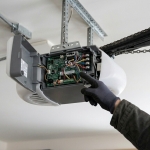

Most people only learn how their garage door opener works when it stops working. That's a stressful moment to be reading a manual, and it's why a little background knowledge pays off. Understanding the issues that tend to affect LiftMaster openers, and which part of the system each one points to, makes it much easier to decide whether you're facing a five-minute fix or a job for LiftMaster garage door repair.
Rather than listing every possible fault, this guide organizes common opener issues by the part of the system involved: drive mechanism, electronics, sensors, power, and connectivity. It's written for homeowners, landlords, and property managers in Pearland and the Greater Houston area, where heat, humidity, and storm-season power events add their own wrinkles.
A Quick Orientation: What's Inside the System
A typical opener setup has these pieces:
- The motor unit, mounted to the ceiling (or on the wall beside the door in jackshaft models)
- The drive system, which transfers motion to the door and varies by model: chain, belt, or wall-mounted designs
- The logic board and receiver, which interpret signals from remotes, keypads, and wall controls
- Safety sensors, mounted near the floor on each side of the door
- Remotes, keypads, and wall controls
- Optional features, such as battery backup and smart connectivity
Knowing the pieces helps you describe symptoms accurately, which is half the battle in any repair.
Drive System Issues
Worn Gears or Drive Components
Some opener designs rely on gears that can wear over time, especially under heavy use. The classic symptom is a motor that runs or clicks while the door barely moves or doesn't move at all. Because this involves internal components, it generally calls for inspection rather than a DIY fix.
Chain Problems
On chain-drive models, a chain can develop slack, rattle, or make a slapping sound as it travels. Adjusting tension is sometimes possible, but the correct approach depends on your model, so follow the manufacturer's guidance or ask a technician.
Belt Wear
Belt-drive openers tend to run quieter, but belts can wear, fray, or lose tension over time. Visible damage or a door that jerks during travel are signs to have the belt inspected.
Trolley Disconnects
If the opener runs and the carriage moves but the door stays put, the trolley may have disconnected from the door. This is also what happens if you've pulled the emergency release and not reset it. Re-engaging the trolley following your model's instructions is sometimes all it takes, but check that the door is closed and balanced first.
Electronics Issues
Logic Board Faults
The logic board is the opener's brain. Failing boards can cause erratic behavior: the door opens on its own, ignores commands, or responds unpredictably. Because electronic faults can be intermittent, keep notes about when problems occur. Board issues are a job for a trained technician.
Receiver and Remote Problems
When the wall control works but remotes don't, the issue may be the remote, its battery, its programming, or the receiver. Start with a fresh battery and reprogramming. If a new battery and reprogramming don't help, the receiver may be the culprit.
Interference
New LED lights, nearby electronics, or other wireless devices can sometimes interfere with signals. If problems started after a change in the garage, such as a new light fixture, that's a useful clue to share.
Worn Wall Controls
Wall buttons take a lot of daily use. If the door responds inconsistently to the wall control but works with a remote, the wall unit or its wiring may be the cause.
Sensor and Safety Issues
Misaligned or Dirty Sensors
This is the most common reason a door won't close or reverses immediately. Wipe the lenses, remove cobwebs, and check that both indicator lights are steady. A bumped sensor can be gently realigned.
Wiring Faults
If sensor lights stay off or keep flickering after cleaning and alignment, a damaged wire may be to blame. Wires can be nicked by storage bins, lawn equipment, or even pests.
Limit and Force Settings
Openers rely on settings that tell them where the door starts and stops and how much force to use. If the door stops short, closes too hard, or reverses before fully closing, settings may have drifted. Adjust only according to your model's instructions, since incorrect settings can compromise the safety reversal feature.
Failed Auto-Reverse
If a door doesn't reverse when it meets a sturdy object, stop using the opener and arrange an inspection. This isn't a safety feature to work around.
Power and Battery Issues
Outlet, Breaker, and Surge Problems
Before assuming a major failure, confirm the opener is plugged in and the breaker hasn't tripped. In storm season, power surges can also affect electronics. If the opener went dead after a storm, mention that when you call.
Backup Battery Failure
On models with battery backup, the battery can lose capacity quietly. Many owners find out during an outage. Test it periodically by briefly cutting power to the opener and checking that the door still cycles.
Remote and Keypad Batteries
It sounds basic, but weak batteries cause a surprising share of intermittent response problems. Replace them on a schedule rather than waiting for failure.
Connectivity and Smart Feature Issues
App Shows Offline
On models with smart features, the app may lose connection even when the opener works physically. Common causes include router changes, weak Wi-Fi in the garage, or a power interruption. Restarting your router, improving signal, and re-pairing the device usually resolves it.
Account or Pairing Problems
Sometimes a device needs to be re-added after changing networks or credentials. If physical operation is fine, the opener itself usually isn't the problem.
Symptom Quick Reference
|
Symptom |
Part Most Likely Involved |
Reasonable First Step |
|
Motor runs, door doesn't move |
Drive gear or trolley |
Check trolley engagement; call if grinding or clicking |
|
Door won't close, reverses |
Safety sensors |
Clean and realign |
|
Remote works inconsistently |
Remote, battery, or receiver |
New battery, reprogram |
|
Door acts on its own |
Logic board or interference |
Note timing; call for diagnosis |
|
App offline, door works |
Wi-Fi or pairing |
Restart router, re-pair |
|
Dead after a storm |
Power or surge |
Check outlet and breaker; call if still dead |
|
Door stops short |
Limit settings or obstruction |
Check track; adjust per manual or call |
|
Auto-reverse fails |
Safety system |
Stop using; call promptly |
Don't Forget the Door Itself
An opener can look guilty when the real problem is on the door side. Worn springs, frayed cables, dry rollers, and bent tracks all make the opener work harder or fail. A simple check helps: with the door closed, use the emergency release and lift the door by hand. If it's heavy or won't stay partly open, springs or cables are likely involved, which is work for a technician rather than a homeowner.
What You Can Reasonably Do Yourself
- Replace remote and keypad batteries
- Reprogram remotes using the learn button, following model instructions
- Clean and realign sensors
- Check power, outlet, and breaker
- Lubricate rollers and hinges
- Tighten visible loose hardware
- Restart your router and re-pair smart features
When to Call a Professional
Bring in help when the issue involves:
- Springs, cables, or a door that's off track
- Internal gears, belts, or drive components
- Logic board, receiver, or recurring electronic faults
- Safety reversal that fails
- Burning smells, sparking, or an unusually Blockedword/sentence motor
- Problems that keep returning after basic fixes
Model familiarity matters here, since programming steps, diagnostic indicators, and parts vary across generations of openers. For owners weighing whether to call, professional LiftMaster opener repair tends to be faster and more reliable than trial and error when electronics or drive parts are involved, and it usually includes testing the door hardware too.
Repair or Replace?
If an opener is relatively young and the problem is isolated, repair usually makes sense. Replacement is worth discussing if the unit is old, keeps failing, lacks modern safety and security features, or no longer has parts readily available. Landlords and property managers sometimes find a pattern: if the same model keeps failing across several doors, planned replacement may be more predictable than repeated emergency calls.
Prevention Habits Worth Building
- Test auto-reverse monthly
- Keep sensor lenses clean
- Lubricate moving parts every few months
- Tighten hardware and check weatherstripping
- Replace batteries on a schedule
- After storms, check sensors, wiring, and power connections
- Schedule an annual professional inspection
Finding Help You Can Rely On
When you do need service, look for a provider who explains what they find, gives written estimates, and tests the whole system. If you're comparing local options, a company such as PowerLift Garage Doors, which works on LiftMaster openers across Pearland and the Greater Houston area, is an example of the kind of brand-familiar support worth considering. For anyone moving from troubleshooting to a fix, a focused LiftMaster garage door repair provider can help pin down whether the issue sits in the opener, the door hardware, or both.
Frequently Asked Questions
Why does my LiftMaster opener hum but not lift the door? This often points to a drive issue, a disconnected trolley, or a door-side problem like a broken spring. Test the door by hand with the release cord to help narrow it down.
Why does my opener work with the wall button but not the remote? Usually the remote battery, programming, or receiver. Replace the battery and reprogram first.
Can storms damage an opener? Power surges and moisture can affect electronics. If the opener stopped working after a storm, check power connections first and mention the storm if you call for service.
Do smart features make openers less reliable? Not necessarily. Connectivity problems usually involve Wi-Fi or pairing rather than the physical opener, and they can often be resolved without repair.
How do I know whether I need repair or replacement? Consider the unit's age, how often it needs service, available parts, and whether it has modern safety features. A technician can help you weigh these factors.
Is it safe to keep using an opener that makes grinding noises? Occasional squeaks are usually minor, but grinding from inside the motor housing is worth inspecting soon, since continued use can worsen wear.
Final Thoughts
Most opener problems fall into a handful of categories: drive wear, electronics, sensors, power, and connectivity. Knowing which category your symptoms belong to helps you decide whether to reach for a battery and a cloth or call a technician. Do the simple checks yourself, treat safety-related failures as urgent, and leave springs, electronics, and internal drive parts to a professional. That approach saves time, avoids unnecessary expense, and keeps your door dependable.