
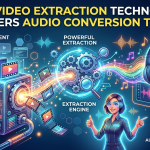

Many people watch videos online for music, podcasts, interviews, tutorials, and educational content. But sometimes they just want the audio. Playing a full video can use more data and keep the screen on when the visuals are not needed.
This is where audio conversion tools come in handy. But behind these simple websites and apps is video extraction technology that can separate the audio track from a video and prepare it for playback as an audio file. Knowledge of this process can assist users in selecting better tools and avoiding common conversion problems.
What Is Video Extraction Technology?
Video extraction is the act of detecting and separating various elements of a media file. A normal video consists of several kinds of data. There is a visual track , an audio track , subtitles , and other information .
An extraction tool can extract the audio stream and process it separately from the video. The audio can be saved in a format like MP3, depending on the tool and source available.
It sounds complicated, but modern tools do most of the technical work automatically.
How Does Video-to-Audio Conversion Work?
Although different tools use different systems, the basic process usually follows a few steps.
1. The Source Is Identified
First, the conversion tool receives a supported video source or link. The service checks the source and identifies the available media information.
This can include details such as video quality, audio quality, file format, and available streams.
2. The Audio Stream Is Located
A video may contain separate audio and video streams. The extraction system identifies the audio portion that needs to be processed.
If the source provides different audio qualities, the tool may offer several options.
3. The Audio Is Extracted
The system separates the audio data from the video. At this point, the visual portion is no longer needed for an audio-only file.
This is one of the main reasons video extraction technology is important for audio conversion.
4. The Audio Is Converted
The extracted audio may not already be in the format the user wants. A conversion system can change it into a supported format, such as MP3.
During this stage, encoding settings can affect the final file size and sound quality.
5. The Finished File Is Prepared
After processing is complete, the audio file is prepared for playback or saving. The user can then use a compatible media player to listen to it.
Why Is MP3 Commonly Used?
MP3 is one of the most widely supported audio formats. It uses compression to reduce file size while maintaining reasonable sound quality.
This makes MP3 practical for phones, computers, music players, and other devices. Smaller files are also easier to store and transfer.
However, MP3 compression can remove some audio information. For users who want the best possible quality, the original audio format or a less compressed format may be preferable when available.
How MP3Juice Download Relates to Audio Conversion
The term MP3Juice Download is often used when people search for ways to find or save audio through MP3Juice-related services.
The important technology behind these services is similar to other online media conversion systems. The platform processes a supported source, identifies available media information, and may provide an audio output when the source and service allow it.
Users should be careful when using any third-party download or conversion service. Avoid suspicious files, unexpected browser notifications, and websites that request unnecessary personal information. Also, only download or convert content when you have permission to do so.
What Affects the Final Audio Quality?
The quality of the finished audio depends on several factors.
Original Source Quality
A conversion tool cannot create audio detail that does not exist in the original source. If the original audio has poor quality, converting it to a higher-quality setting will not restore missing details.
Bitrate
Bitrate describes how much audio data is processed per second. Higher bitrates can provide better sound quality but usually result in larger files.
Compression
Repeated conversion or heavy compression can reduce audio quality. For this reason, it is better to start with the highest-quality permitted source available.
Conversion Settings
Different tools may offer different quality and format options. Choosing the right setting can help balance file size and audio quality.
Common Audio Conversion Problems
The Downloaded Audio Sounds Bad
Check the source quality and select a higher-quality audio option if available.
The File Is Too Large
Choose a reasonable bitrate or a more efficient format if the tool supports it.
Conversion Takes Too Long
Slow processing can be caused by a large source file, server traffic, or a slow internet connection. Waiting and trying again later may help.
The Audio File Will Not Play
Make sure your media player supports the selected format. Updating the player can also solve compatibility problems.
How to Choose a Reliable Audio Conversion Tool
Before using an audio conversion service, look for a simple interface, clear download options, and reasonable security practices. Avoid services that force you to install unknown software or provide suspicious files.
It is also important to understand the site's terms and respect Blockedword/sentence rules. Not every online video is available for downloading or conversion.
Final Thoughts
Many modern audio converting tools are based on video extraction technology. It can split the audio track from a supported video, removing it from the video information, and can convert it to a format like MP3.
Terms like MP3Juice Download are often associated with online audio search and conversion services, but it is always advisable to keep security, file quality, and Blockedword/sentence restrictions in mind before downloading anything. Used responsibly, video-to-audio tech can make listening more convenient and flexible.